Microsoft Purview is big, and it is not obvious where to begin. This series builds it the way we would in a real organization. First we decide what needs protection, turn it into labels and let Purview apply them where people don’t, then put a ring of DLP around the users and let encryption and site labels protect the content wherever it goes. Then we switch on audit, follow up on what actually happened, and use eDiscovery to find what we hold. After that comes the people side with Insider Risk Management, what to do when something goes wrong, proving compliance with Compliance Manager, and finally Data Security Posture Management, which ties it all together. Each video is three minutes or less, shows a simplified portal, and ends with what the user actually experiences. Watch them in order, or jump to the one you need.
Start here
Decide what you're protecting, turn it into labels people actually use, and let Purview label what they miss.
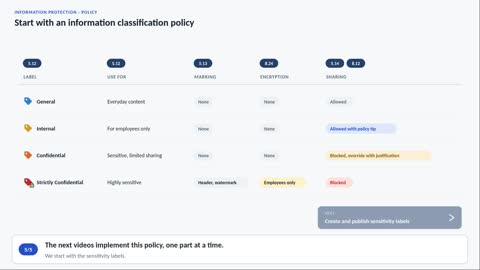
Start with an information classification policy
Agree on the labels before you touch the portal.
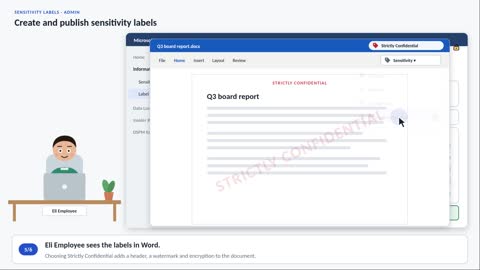
Create and publish sensitivity labels
Build the four labels and publish them. Then Eli opens Word.
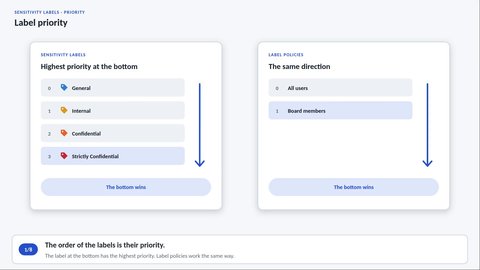
Sensitivity label priority
The order of your labels is their priority.
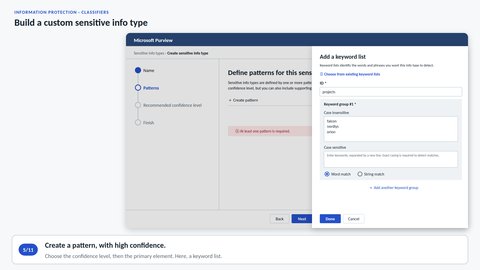
Build a custom sensitive info type
Make Purview recognize your own project names.
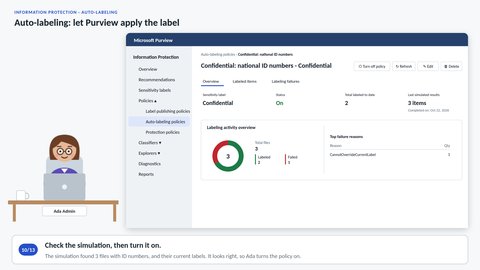
Auto-labeling: let Purview apply the label
At least Confidential, wherever ID numbers are.
Build a DLP ring around the users
Close the exits one by one: email, sharing, devices, and the content nobody labeled.
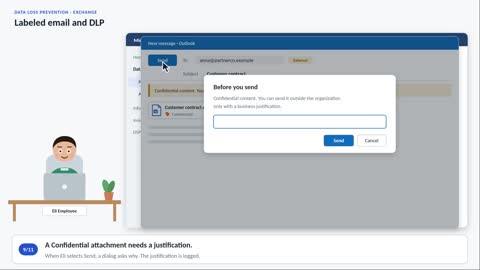
Labeled email and DLP
What Eli sees when he emails each of the three labels.
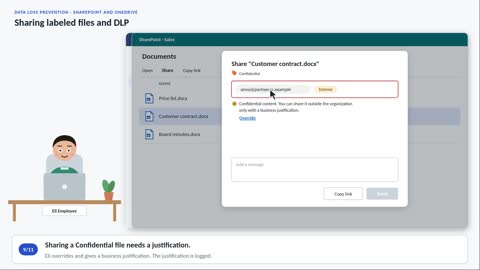
Sharing labeled files and DLP
The same rules follow Eli to SharePoint and OneDrive.
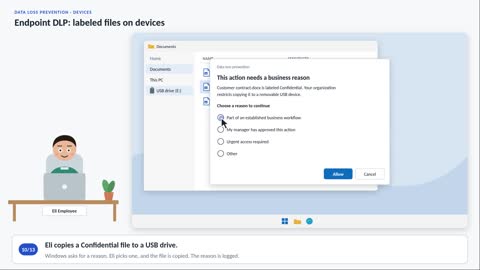
Endpoint DLP: labeled files on devices
Copying to a USB stick, and uploading to a private cloud service.
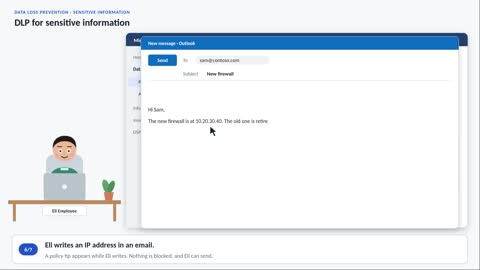
DLP for sensitive information
An IP address in an email gets a policy tip.
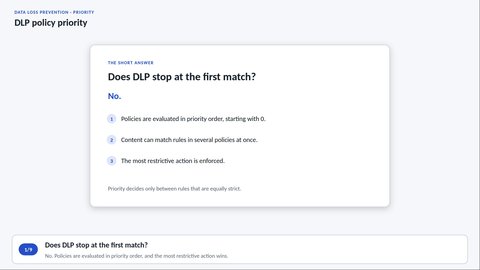
DLP policy priority
When two policies match the same email, the strictest action wins.
Encryption that travels
Protection that follows the content wherever it goes, and what that means for the people using it.
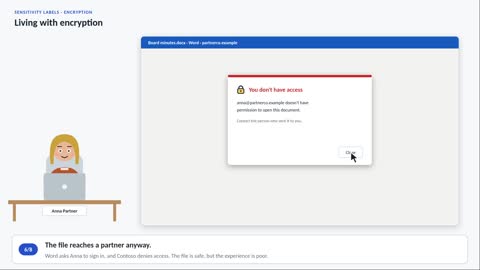
Living with encryption
Word, iPhone, PDF, and a partner who cannot sign in.
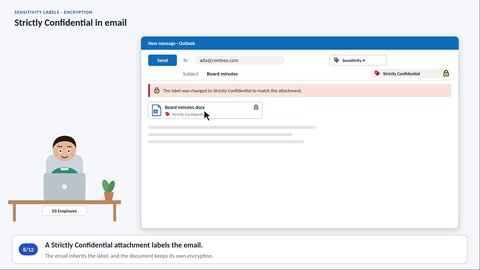
Strictly Confidential in email
Colleagues read and forward it without noticing anything.
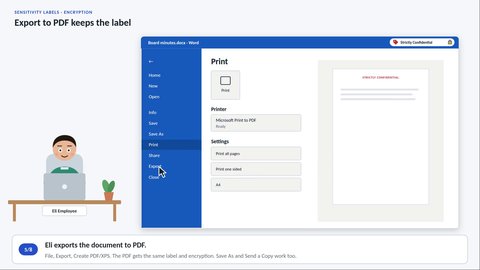
Export to PDF keeps the label
Edge and Acrobat open it. Chrome does not.
Sites and teams
A label on a site guards the door, not the documents inside.
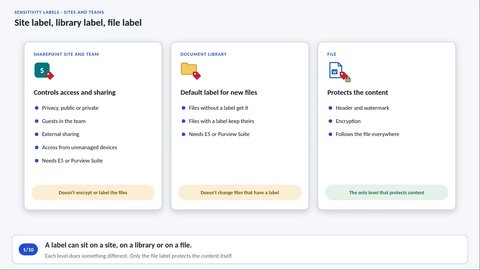
Site label, library label, file label
A label on the site does not encrypt the files inside it.
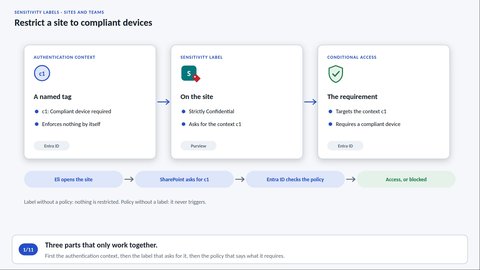
Restrict a site to compliant devices
The Board site opens on a work PC, and not on a private one.
Audit and logging
No record, no answer. Know what's logged, where, and for how long.
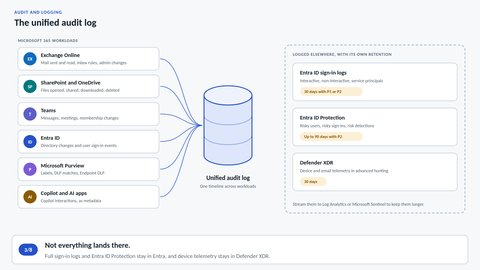
The unified audit log
Which workloads log what, and for how long.
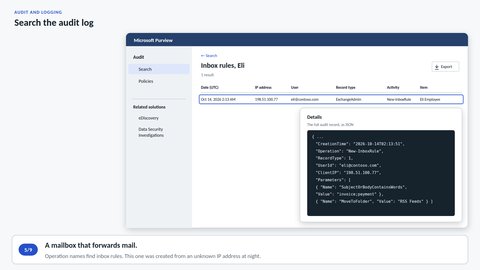
Search the audit log
Who deleted the customer list, and who made that inbox rule.
Follow up: activity and data
Labels, DLP, encryption and sites are in place. Check what's actually happening, and take a first look at the data you hold.
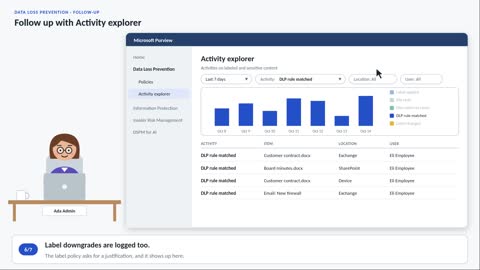
Follow up with Activity explorer
Did the four DLP policies do what you intended?
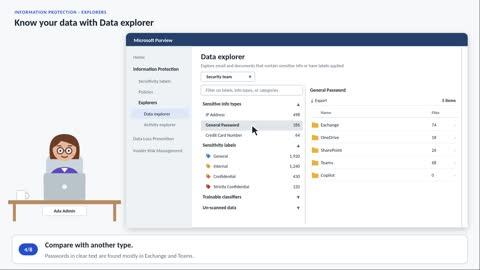
Know your data with Data explorer
How much sensitive data you have, and where it sits.
eDiscovery: map out the old and sensitive data
Search the whole tenant for what is old and what is sensitive, and turn the results into a cleanup list.
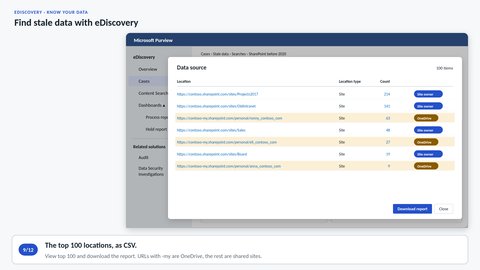
Find stale data
Everything from before 2020, and what is hiding in it.
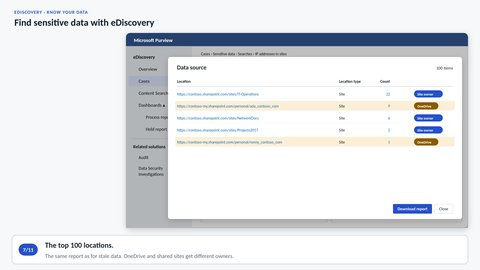
Find sensitive data
Search every site and mailbox for IP addresses.
Insider Risk Management
Most leaks start with someone who already has access. Find the patterns, and respect the people behind them.
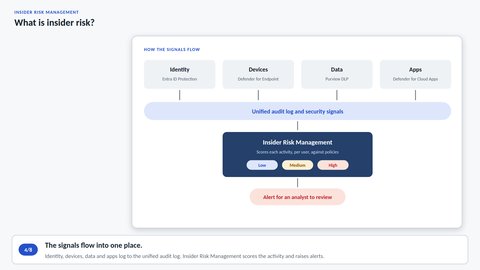
What is insider risk?
Why a sequence of actions says more than a single download.
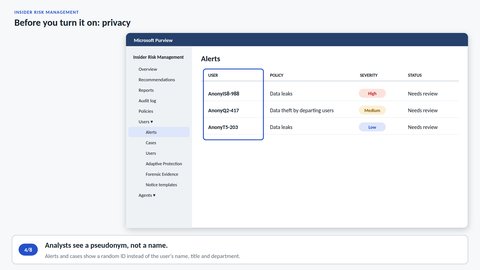
Before you turn it on: privacy
Pseudonymized isn't anonymized.
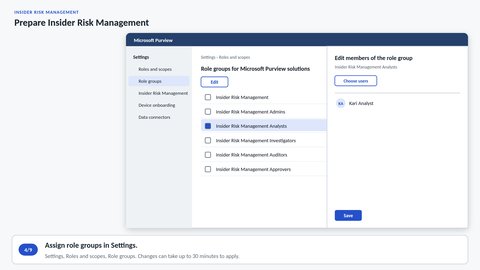
Prepare Insider Risk Management
Role groups, analytics, prerequisites and indicators.
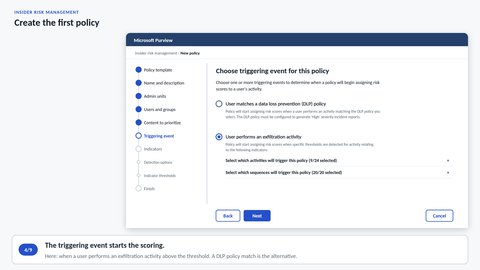
Create the first policy
The Data leaks template, step by step through the wizard.
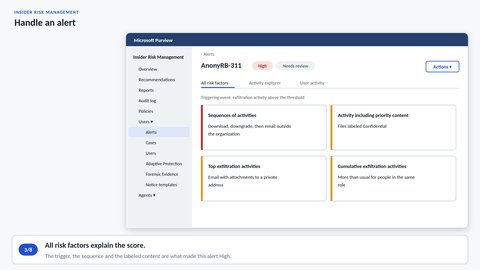
Handle an alert
What the analyst checks before confirming an alert.
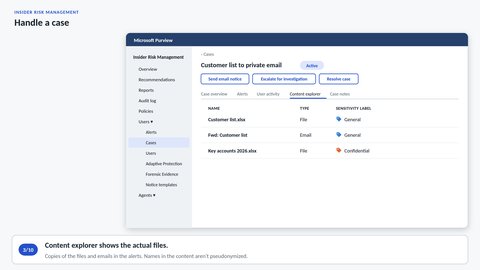
Handle a case
The investigator reads the files and closes the case.
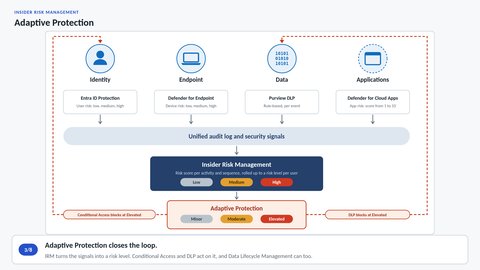
Adaptive Protection
Ronny is blocked from copying to USB. Eli is not.
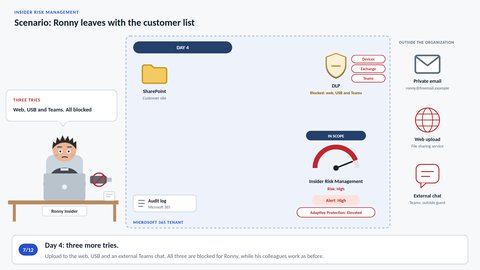
Scenario: Ronny leaves with the customer list
Ronny hands in his notice, and we follow him to his last day.
Investigation and response
Something has happened. Contain it, preserve the evidence, find out what was seen, and clean up.
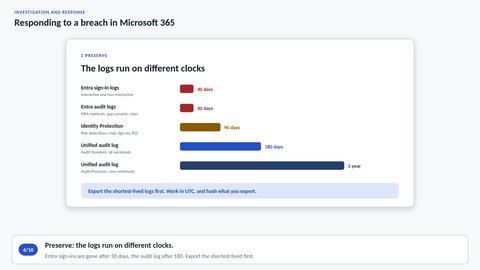
Responding to a breach in Microsoft 365
Eli is phished. What to do first, and why the order matters.
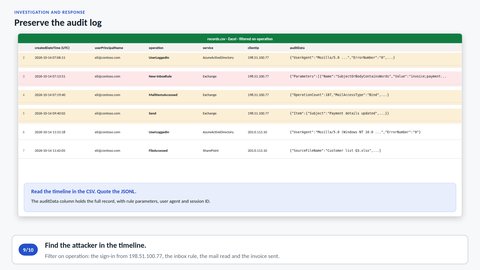
Preserve the audit log
Export every record for Eli, with hashes and a manifest.
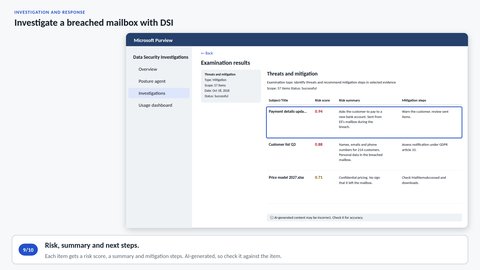
Investigate a breached mailbox with DSI
What was actually in the mailbox during those hours.
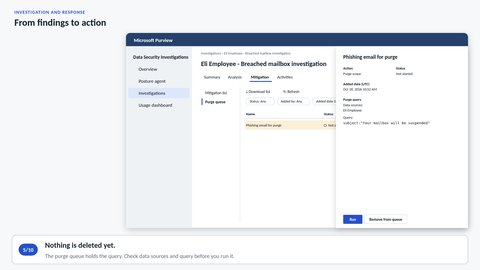
From findings to action
What the purge can and cannot do, and when to close down.
Compliance Manager
Laws and standards set requirements you must meet and document. Compliance Manager breaks them down into controls and improvement actions, and the compliance score shows how far you have come.
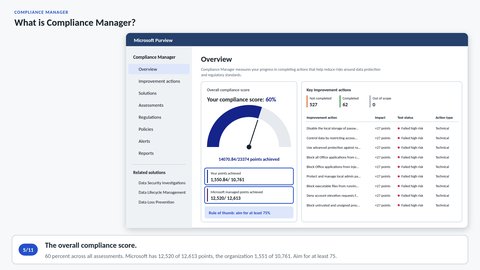
What is Compliance Manager?
How a standard turns into tasks, and what the score measures.
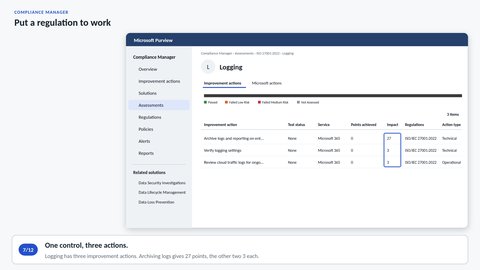
Put a regulation to work
Take one ISO 27001 control all the way to Passed.
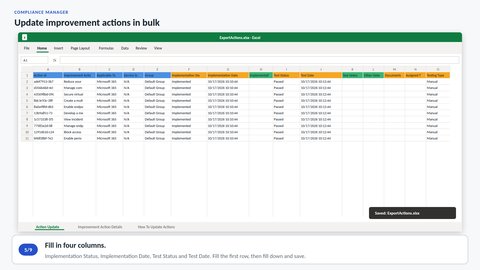
Update improvement actions in bulk
Update many actions at once, without breaking the import.
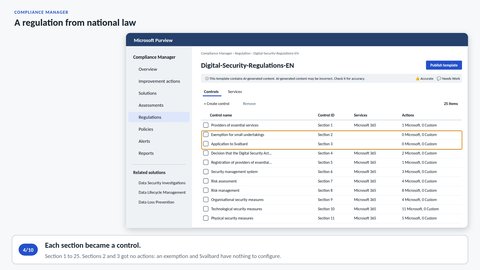
A regulation from national law
A Norwegian regulation as a PDF, and AI drafts the controls.
Data Security Posture Management
One place to see where your sensitive data is at risk, what to fix first, and how AI uses it.
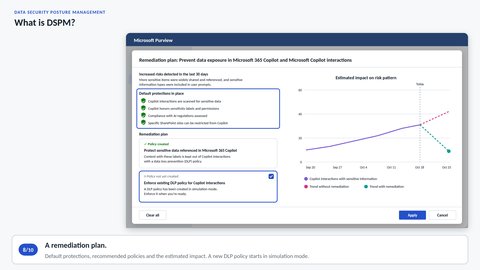
What is DSPM?
What DSPM measures, and where the numbers come from.
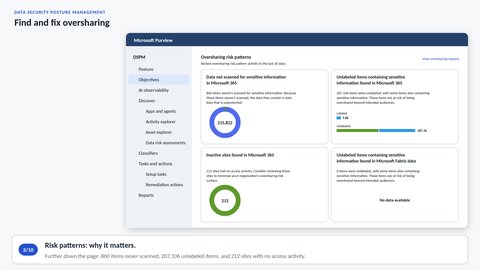
Find and fix oversharing
Copilot shows what people can already open.
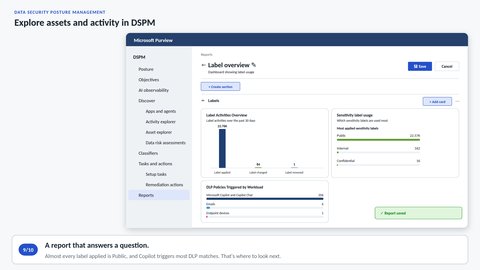
Explore assets and activity in DSPM
What DSPM adds to the explorers.
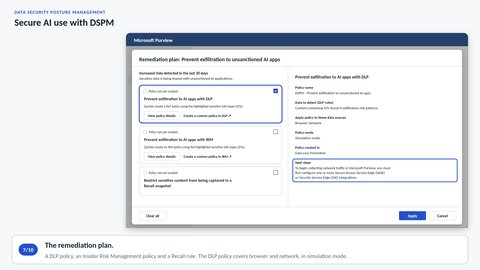
Secure AI use with DSPM
Which AI apps people use, and which policies cover them.
The portal screens in the videos are simplified, and the content reflects our own assessment. Licenses are shown as the lowest plans that include the feature.