What the purge can and cannot do, and when to close down.
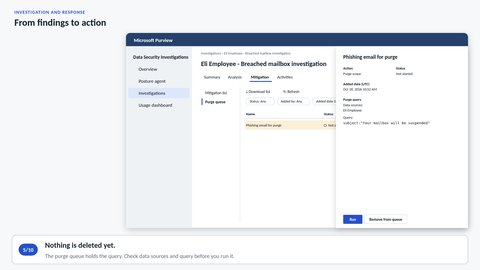
The findings decide whether to notify, and what to clean up. We add them to a mitigation list that finance and customer service can use, find the phishing email and put it in the purge queue. Before we run the purge, we look at what it can and cannot do. Then we read the history in Activities, keep the evidence and delete the investigation to stop the storage costs.
Step through More in Investigation and response
These videos have no narration — the sound is background music and interface clicks. Step through presents the same content as text.