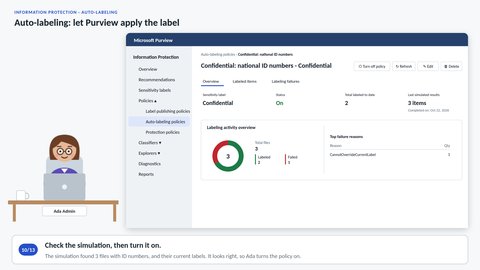
At least Confidential, wherever ID numbers are.
Client-side, the user applies the label in the Office apps, helped by a default label or a recommendation. Server-side, an auto-labeling policy labels files already stored in SharePoint and OneDrive, based on conditions such as sensitive info types. We create a policy that gives every document with national identification numbers at least Confidential, let it replace lower labels, check the required simulation and turn it on. Two files are labeled, and a Strictly Confidential file keeps its higher label.
Step through More in Let's start with the basics
These videos have no narration — the sound is background music and interface clicks. Step through presents the same content as text.